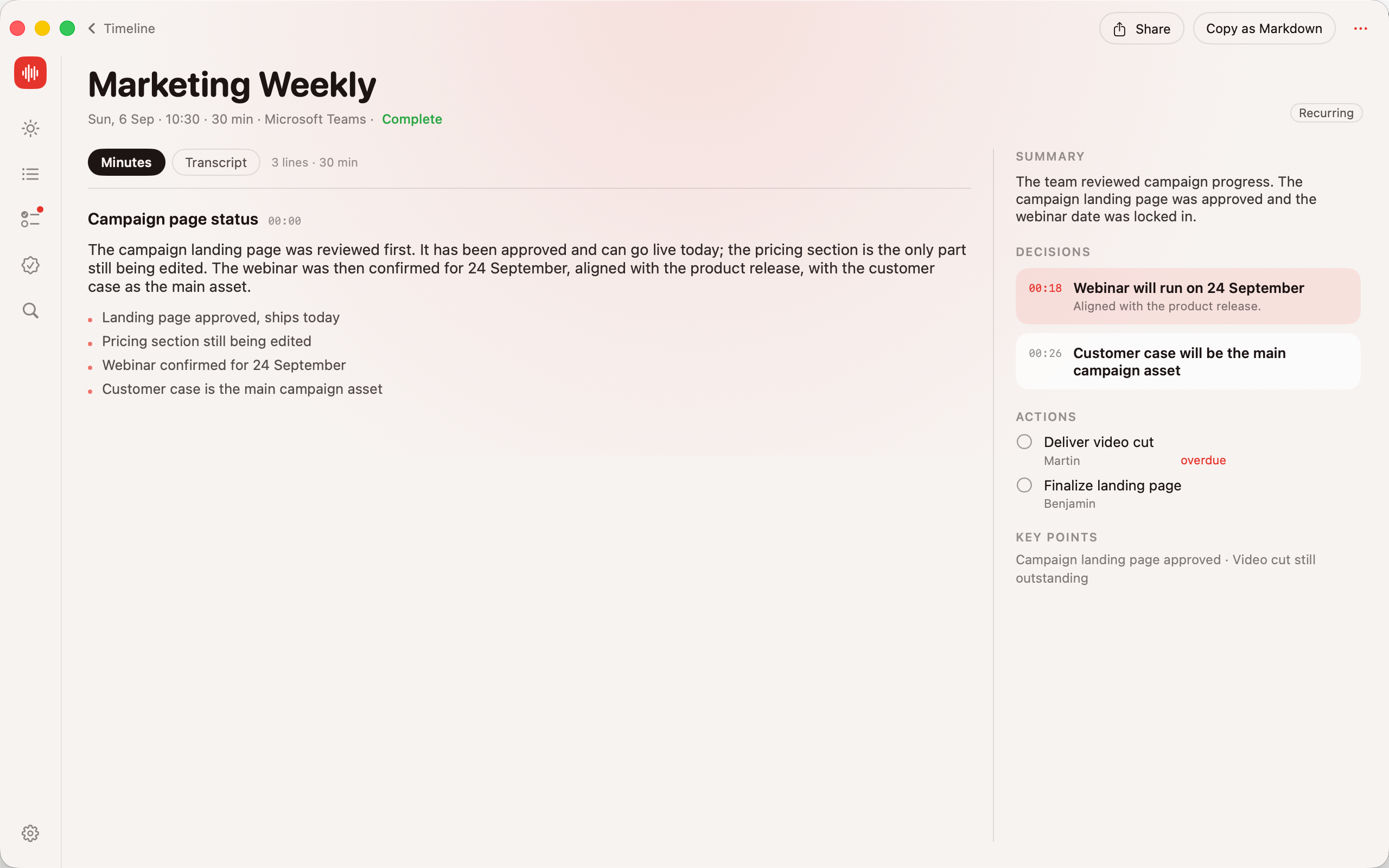
RecMac sits in your menu bar, notices when a Teams, Zoom or Meet call starts, records with one click, and writes the minutes itself: what was said, what was decided, who is doing what. Every second of audio stays on your Mac.
You do exactly one thing: click Record. RecMac handles the rest, on device.
01
It notices the meeting
RecMac reads your calendar and watches for Teams, Zoom and Meet calls. When one starts, a small invite appears: Record this? A hotkey (⌥⌘R) records anything else, any time.
02
It records both sides
Your microphone and the other participants, captured straight from macOS. Live text scrolls while you talk, so you can see it is working.
03
It writes what happened
Whisper transcribes on your Mac. Apple Intelligence turns it into per-topic minutes, time-stamped decisions and action items with owners and due dates.
Minutes that actually remember
Not a summary. The whole meeting, organised.
Most tools compress an hour into five bullets and lose everything that mattered. RecMac keeps the substance: a list you read out stays a list, and every claim is checked against the transcript.
≡
Per-topic minutes
Prose plus the points, grouped by what you actually talked about, in the order you talked about it.
◷
Decisions with time stamps
Every decision links back to the second it was made. Click it, read the exact words.
✓
Action items with owners
Who, what, by when. Extracted from the conversation, never invented: items without a grounding in the transcript are dropped.
↺
Memory across meetings
Recurring meetings are linked. Before the next one starts, last time’s minutes and open actions are already on screen.
⌁
Live transcript
Text appears as you speak, in Norwegian, English, Spanish and 50+ dictation languages, straight from Apple’s on-device speech engine.
↗
Yours to take anywhere
Share the minutes from the share sheet, copy as Markdown, or export your entire archive to a folder. No lock-in.
Today
Walk in already caught up.
The Today screen shows what is up next and what happened last time you met the same people: decisions, open actions, the thread of the conversation.
Calendar-aware, with Teams, Zoom and Meet detection
One click to record when the invite appears
Detection status is always visible, with a one-click fix
Timeline
Every meeting, searchable.
Upcoming and recorded meetings in one timeline. Full-text search across transcripts, minutes, decisions and actions, all indexed locally.
Filter by online, in person, open actions, decisions or recurring
Actions and decisions have their own views across all meetings
Correct a misheard name once, and it is fixed everywhere, forever
Privacy, by architecture
There is no server. We could not read your meetings if we wanted to.
Every other meeting recorder sends your conversations to someone else’s computer. RecMac has no backend, no account and no telemetry. The privacy policy fits on one screen because there is almost nothing to disclose.
DataWhere it is processedWhere it is stored
AudioYour MacYour Mac, auto-deleted after 10 days
TranscriptYour Mac (WhisperKit)Your Mac
Minutes, decisions, actionsYour Mac (Apple Intelligence)Your Mac
Calendar detailsYour MacYour Mac
Analytics, telemetry, crash reportsNoneNone
Network accessOne-time model downloadNothing else, ever
Good to know
Straight answers.
What do I need?
A Mac with Apple Silicon running macOS 26. Apple Intelligence for minutes and summaries; transcription works without it.
Does it record the other people on the call?
Yes, via macOS Screen Recording permission for system audio. Without it, RecMac records your microphone only.
Does anyone in the meeting see a bot?
No. Nothing joins the call. RecMac captures what your Mac already plays and hears.
Which languages?
The app is in Norwegian, English and Spanish and follows your system language. Transcription auto-detects 90+ spoken languages.
Is it a subscription?
No. RecMac is sold on the Mac App Store. No account, no cloud, no monthly fee.
Can I get my data out?
Always. Share any meeting, copy it as Markdown, or export everything to a folder from Settings.